


Whether your company is launching its first blog or refining an existing one, you’re already taking an important step toward improving your content marketing results. A well-maintained company blog can boost organic traffic, improve visibility in SERPs, and help your brand rank higher across each search engine. It also helps you attract your target audience with high-quality and relevant content that supports your broader SEO strategy and captures readers across social media platforms.
A company blog only works when your blog content follows reliable blogging best practices. Without structure, keyword research, and consistent blog writing, even your strongest ideas may never reach the readers who need them most. This guide is written for bloggers, marketers, and teams managing a blogging platform in WordPress or similar tools. You’ll learn how to strengthen user experience, refine your writing style, and create new content supported by SEO, readability, and metrics you can measure.
Blog Setup
Should you use a subdomain or subdirectory?
A subdirectory usually delivers stronger SEO results because it helps all new content support the authority of your primary domain.
A subdirectory (yourwebsite.com/blog) almost always performs better than a subdomain (blog.yourwebsite.com) for SEO and organic traffic. Search engines treat subdirectories as part of the main site, which allows every new post to contribute to your overall authority. Research continues to support this approach. A 2024 Semrush analysis found that blogs placed in subdirectories gained over 32% more organic traffic than those placed on subdomains.
Tools like Ahrefs and HubSpot also show similar patterns, with subdirectories ranking more consistently for long-tail keywords and building clearer topical relevance. Subdomains often behave like separate websites, which can dilute authority and complicate analytics reports.
If your team uses WordPress, creating your blog as a subdirectory is straightforward and keeps Google Analytics data cleaner. This simple setup improves indexability, supports an organized webpage structure, and aligns with blogging best practices from the start.
How to create an SEO-friendly and readable blog URL structure
Keep URLs short, descriptive, and aligned with the main topic and long-tail keywords of the post.
A clear URL structure helps readers, bots, and search engines understand your content quickly. Every post should include the /blog/ path, which keeps analytics simple and improves your ability to segment traffic inside Google Analytics. Short slugs with long-tail keywords improve click-through rates on social media while helping your blog writing stay consistent with your broader SEO strategy.
Use slugs that match keyword research, such as /email-marketing-templates/ or /blogging-best-practices/. Avoid unnecessary filler. Shorter URLs improve readability and make your content easier to share on LinkedIn, X, or inside email marketing campaigns.
Keep your naming pattern consistent across the entire blogging platform. This structure also supports category pages, internal links, and future case studies you may publish.
Why setting up Google Analytics from the start improves blog performance tracking
Tracking performance early gives you the data you need to improve your SEO strategy and understand what content resonates with your audience.
Google Analytics helps you measure user behavior, popular topics, and engagement. Installing tracking from day one gives you insight into metrics that determine successful blogging, including:
- Traffic sources across social media, organic search, and email
- Posts that attract the most readers
- Pages that convert through a CTA or lead magnet
- Engagement patterns shaped by attention span and user experience
These insights help you plan new post ideas, identify high-performing content types like infographics or case studies, and refine the writing style that best supports readability. Teams often review results weekly, especially when new content is published or when experimenting with long-form content.
For more advanced analysis, you can use descriptive anchor text to link to reputable guidance, like this breakdown of content performance measurement from Google’s Analytics Help Center.
Analytics-driven optimization helps you improve every new post, making blogging tips more actionable and strengthening your long-term content marketing plan.
Blog Organization
How to organize your blog categories for better discoverability and SEO
Keep your categories simple, consistent, and aligned with topics your readers already search for.
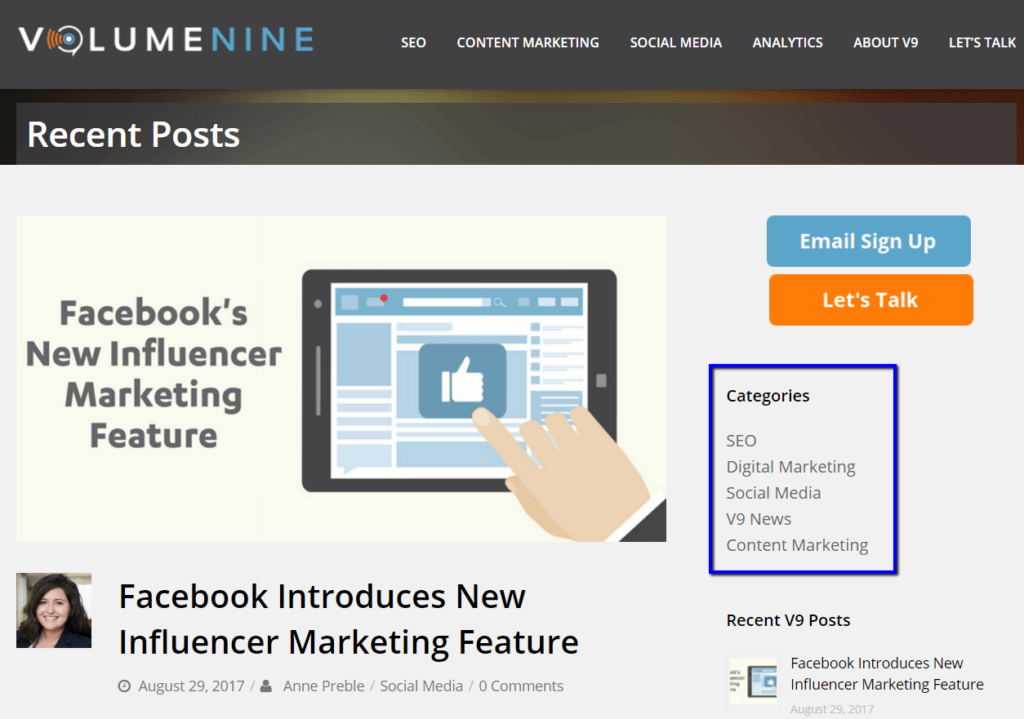
Clear categories improve discoverability and help readers move through your site without friction. Most blogs perform best with five to seven categories tied to core topics like social media, content marketing, SEO, or email marketing. By assigning each post to only one category, you avoid clutter and keep your taxonomy easy for both search engines and visitors to understand.
Choose category names based on keyword research to support your SEO strategy. Names like “SEO Strategy,” “Blogging Tips,” or “Content Marketing” align with common search terms and give search engine crawlers direct signals about topical authority. Displaying these categories in your sidebar or top navigation also supports user experience and encourages readers to explore related content.
This resource expands on why clear organization increases reader satisfaction and improves long-term engagement.
How to use tags effectively to connect related blog posts
Tags help readers discover related content, but they work best when used sparingly and consistently.
Tags function like an index for your blog content. While they don’t directly boost rank in search engine results, they help readers navigate topics such as social media platforms, long-form guides, or templates used across your site. They also reduce bounce rate by guiding visitors to relevant content, especially when you have clusters of in-depth case studies or step-by-step tutorials.
Aim for a structured tag system: roughly 20–30 tags used repeatedly rather than dozens of one-off labels. Each post should include three to five tags that align with its main topic. Avoid tagging your primary keyword, since that can blur topical signals and reduce clarity.
Clean your tag list every few months. This keeps your organization tidy and prevents duplicate or unused tags from confusing readers and bots.
Why adding an RSS feed increases audience engagement and blog traffic
RSS keeps your readers connected and drives steady, repeat visits from subscribers who want automatic updates.
Many bloggers overlook RSS, but it remains one of the easiest ways to stay visible with readers who prefer automated updates. Tools like Feedly allow users to follow blogs alongside newsletters, webinars, and industry news. When your RSS feed updates with each new post, loyal readers return without needing social media reminders or email promotions.
Most blogging platforms generate an RSS feed automatically. If you’re using WordPress, you can direct readers to /blog/feed and add an RSS icon near your social buttons. Those subscribers often become part of your email list later, increasing engagement and supporting long-term growth.
RSS behavior also sends positive signals to search engines, since consistent readership demonstrates that your blog delivers high-quality and relevant content.

Blog Content
Why consistent posting frequency builds SEO authority and reader trust
Regular publishing shows search engines and readers that your blog is active, reliable, and worth returning to.
Consistency matters for bloggers working to grow organic traffic and create high-quality blog content. A predictable schedule helps your target audience know when to expect new content and builds trust over time. Search engines reward websites that stay active, especially when posts are well-researched, readable, and aligned with long-tail keywords that support your main topic.
Publishing one or two in-depth posts each week works well for most teams. Quality should always come first. Readers respond to useful insights, strong formatting, quick-scannable bullet points, and thoughtful use of headers. Mixing templates, case studies, step-by-step walkthroughs, and new post formats keeps attention span high and encourages repeat visits.
As your audience grows, consistent posting helps email marketing campaigns, social media engagement, and internal links gain more traction. Over time, these signals strengthen your broader SEO strategy.
How to choose blog topics that attract your target audience
Focus on topics that solve real problems and provide clear, practical value.
Strong topic selection is the foundation of content marketing. Your blog writing should prioritize the needs of your readers rather than heavy self-promotion. A helpful rule is the 80/20 balance: keep 80% of your content educational and reserve 20% for updates about your company, team, or products.
Educational formats like long-form guides, case studies, infographics, and templates draw readers deeper into your site. Keyword research tools such as Ahrefs help you find long-tail keywords your readers search for, while also guiding decisions about writing style, user experience, and subheadings.
Create a content calendar to manage ideas, plan around seasonal trends, and track which topics produce results. Review engagement metrics in Google Analytics to understand how readers interact with your posts. Over time, patterns emerge that reveal where to invest more energy and where user experience can be improved.
How to write effective calls-to-action that increase conversions
Clear, natural CTAs guide readers toward the next logical step without feeling pushy.
A strong call-to-action (CTA) encourages readers to stay engaged with your brand, whether through your email list, a service page, or a downloadable resource. CTAs should feel organic and appear in natural breakpoints rather than interrupt the reader. Many bloggers place CTAs near the end of posts, inside a sidebar, or after a key insight within the body.
Use direct language that aligns with your content marketing goals. For example, a post about SEO strategy may link to a service page offering a deeper breakdown or shared case studies. Make sure each CTA stands out visually through spacing or a button style rather than overly promotional wording.
Tracking CTA performance helps you refine future placements. Even small changes to placement or wording can create meaningful improvements in conversions.
Why grammar and proofreading matter for professional blog writing
Clean writing maintains credibility and keeps readers focused on your message.
Even excellent ideas lose impact when blog posts contain grammar mistakes, inconsistent formatting, or unclear sentences. Proofreading each post is essential, particularly when your readers expect accuracy and professionalism. Tools like Grammarly help catch small errors, but a teammate’s review often improves clarity and tone.
You want posts that read naturally while reflecting your brand voice. Avoid overly formal phrasing and keep sentences tight to improve readability. Readers stay engaged when your writing style feels confident, helpful, and real.
A polished post supports user experience, increases time on page, and builds trust with new visitors who discover your content through organic search or social media platforms.
How optimized blog images improve user experience and SEO performance
Images break up text, increase readability, and give your content stronger visibility across search and social platforms.
Visuals help sustain attention span and make complex topics easier to understand. Each article should include a featured image and a few additional visuals, whether graphics, screenshots, or infographics. These assets help readers scan your blog content quickly while improving accessibility and remembering key points.
Follow image best practices such as:
- Using high-quality and relevant photos
- Compressing files for faster load times
- Naming images with descriptive filenames
- Adding clear alt text to support accessibility and SEO
- Using readable fonts within graphics
WordPress plugins such as Smush and Yoast can help manage compression, alt text, and overall metadata optimization. High-quality visuals also improve how your posts appear when shared on LinkedIn, X, or through an email marketing campaign.
How to optimize every blog post for SEO success
Use a clear keyword, clean structure, and natural internal links to support discoverability.
A strong SEO foundation helps your blog content rank higher in search results. Every post should be built around one main keyword supported by several related long-tail keywords. Keep the structure clean with descriptive headers, readable paragraphs, and bullet points that help users scan quickly.
Internal links guide users to relevant webpages across your site, such as tutorials, case studies, or other new content. Each link strengthens your overall SEO strategy and helps search engines understand your topical depth. You should also include at least one outbound link to a trusted source, which reinforces credibility and adds context to your article.
Clean HTML markup, simple font choices, and descriptive alt text also improve overall performance. WordPress plugins like Rank Math can help manage metadata and keep quality consistent across your entire blogging platform.
Other Important Notes
Why respecting creative rights prevents brand damage and legal issues
Using content responsibly protects your brand and builds trust.
Copyright compliance is a central part of blogging best practices. Always use original writing and properly licensed images. When referencing an article, attribute your source clearly and use descriptive, relevant anchor text. Doing this consistently protects your brand and avoids legal risk.
If you use stock images, choose reputable sources and add simple, accurate alt text. When creating graphics or infographics, stay within your brand guidelines by using consistent colors, fonts, and layouts.
How to increase blog visibility with social media sharing
Share posts where your audience already spends time and make it easy for them to repost.
Social media expands your reach beyond organic search and email. Sharing new posts across channels like LinkedIn, X, and Facebook helps you reach readers who might not subscribe to your RSS feed or email list. Add a simple share bar to each post to make reposting effortless.
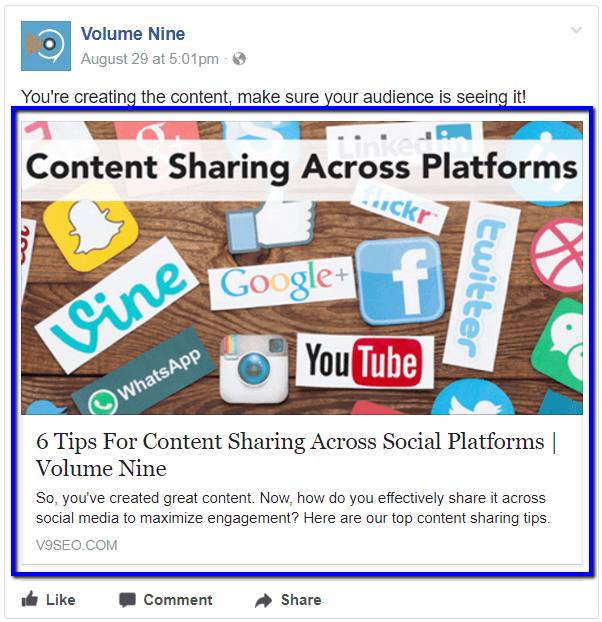
Repurpose top-performing content into short video clips, graphics, or infographics. You can also break a long-form article into quick blog writing tips or relevant content summaries that point readers back to your full webpage. Consistent sharing supports long-term visibility and builds community across your social media platforms.

Learn more about content sharing across social platforms.
Why building an email subscription list strengthens your long-term content strategy
An email list gives you a direct connection to readers who want ongoing value.
Email subscribers are often your most engaged audience members. Place a small signup form in your sidebar or after a CTA at the end of a post. Keep the form simple, ideally asking only for an email address.
Send helpful updates, case studies, templates, and new content that delivers clear value. When readers trust your expertise, they’re more likely to return to your website, share your posts, and recommend your content to others.
One Final Note
Building a successful company blog takes patience and persistence. Results rarely appear overnight, but consistent publishing, thoughtful keyword research, and refined internal links make a noticeable difference over time. Tracking your metrics through Google Analytics gives you a clearer picture of what resonates with your target audience and where to refine your approach.
Stay committed to learning, improving your content quality, and testing new ideas. Over months of steady effort, your blogging platform becomes a reliable source of organic traffic and a central part of your content marketing strategy.
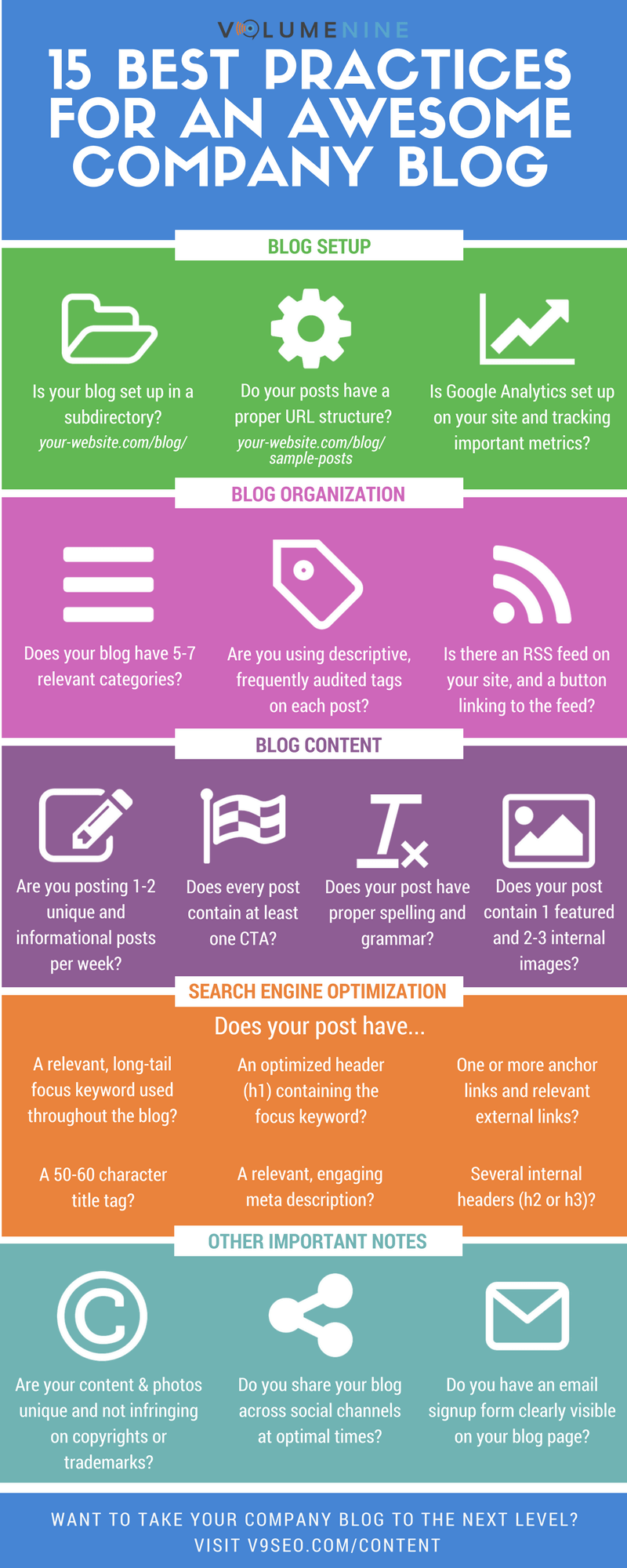
Download a PDF version of the infographic (105 KB)
Common Questions
1. How often should a company blog publish new content?
Publishing one or two new posts per week works well for most teams. This frequency supports SEO growth, keeps readers engaged, and gives you time to do proper keyword research, proofreading, and formatting. A regular rhythm helps your site stay active in SERPs and builds trust with both new and returning readers.
2. What’s the best way to optimize blog posts for SEO?
Choose one primary keyword supported by related long-tail keywords. Use them naturally in headers, the meta description, and within the body. Add internal links to relevant content and descriptive alt text to every image. Use blogging tools like Rank Math or Yoast to manage on-page details such as metadata, readability, and link structure.
3. How do I improve the readability of long-form posts?
Break up long sections with clear subheadings, short paragraphs, and simple bullet points. Include visuals like infographics or screenshots to help readers follow complex steps. Tools like Grammarly can help maintain clarity and a conversational writing style. Aim to keep sentences under 30 words so the content feels approachable.
4. Should every blog post include a CTA?
Adding a CTA is helpful because it gives readers a simple next step. Whether you want people to join your email list, read a related article, or explore a service page, a CTA guides movement across your website. Keep CTAs natural and avoid overwhelming readers with too many options.
5. How can I use social media to promote my company blog?
Share each new post on platforms such as LinkedIn, Facebook, and X. Use descriptive captions and a clean preview image. Repurpose key points into short clips or graphics that link back to the full post. This approach builds reach and keeps your audience aware of your latest content.
6. Do tags and categories help with SEO?
Categories support site organization and help search engines understand your main topic clusters. Tags connect related posts and improve navigation. While they don’t directly change rankings, they improve user experience, which affects engagement metrics that search engines consider.
7. What’s the role of internal and external links in blog writing?
Internal links help readers discover more relevant content and strengthen your site’s topical authority. External links to credible sources add context and improve trust. Both types of links create a stronger SEO strategy and help search engines understand your content better.
8. How can I make blog posts more engaging?
Use examples, visuals, real stories, and case studies. Incorporate conversational language and vary sentence structure to create natural rhythm. Mixing templates, step-by-step guides, and high-quality insights helps readers stay engaged and increases the likelihood of shares across social media platforms.
9. Which metrics matter most for blog success?
Monitor organic traffic, time on page, bounce rate, and conversions from CTAs. Look at which posts earn the most views and how readers move through your site. Google Analytics makes it easier to see which channels—such as email marketing or social media—drive the most engaged traffic.
10. Why is proofreading still important if I use AI tools?
Even with Grammarly or ChatGPT, human review ensures accuracy, tone consistency, and clear writing. Proofreading helps you catch subtle errors, maintain your brand voice, and publish polished content that feels trustworthy to your readers.